SmartSchool OS — AI-Powered School Operating SystemSmartSchool OS — AI-Powered School Operating System
FeaturesPricingAboutDocsSupport
LoginStart free
SmartSchool OS — AI-Powered School Operating SystemSmartSchool OS — AI-Powered School Operating System

One AI-powered operating system for school reports, exams, analytics, and growth — replacing spreadsheet chaos with clarity.

Start free

Product

  • Features
  • Pricing
  • Documentation

Resources

  • Get started
  • Support
  • About

Legal

  • Privacy Policy
  • Terms of Service

© 2026 SmartSchool OS. All rights reserved.

Powered by Globull

Documentation/In-app browser

In-app browser overview

SmartSchool OS includes a built-in browser so students and teachers can access educational websites, search engines, and research tools without leaving the platform.
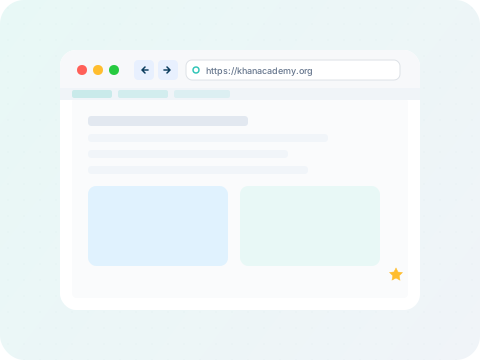
In-app browser showing the URL bar, bookmarks bar, and browsing area inside the SmartSchool OS dashboard
The browser lives inside your dashboard — no need to switch tabs or windows.

Key features:

URL navigation
Bookmarks
History
Safe sandbox

Accessing the browser

Click Browserin the sidebar to open the in-app browser. You'll see a familiar URL bar at the top, navigation buttons (back, forward, refresh), and your bookmarks bar below.

Navigation

Type any URL in the address bar and press Enter to navigate. The browser supports standard navigation: back, forward, refresh, and home. Pages load inside an isolated iframe — your SmartSchool session remains active in the dashboard around it.

Who can access it

Students

Research assignments and access educational resources.

Teachers

Reference lesson materials and access teaching tools.

Admins

Access vendor portals and administrative tools.

All roles

Any role with browser permission in their dashboard.

Related guides

  • Bookmarks & history
  • Safe browsing sandbox
  • Search integration