SmartSchool OS — AI-Powered School Operating SystemSmartSchool OS — AI-Powered School Operating System
FeaturesPricingAboutDocsSupport
LoginStart free
SmartSchool OS — AI-Powered School Operating SystemSmartSchool OS — AI-Powered School Operating System

One AI-powered operating system for school reports, exams, analytics, and growth — replacing spreadsheet chaos with clarity.

Start free

Product

  • Features
  • Pricing
  • Documentation

Resources

  • Get started
  • Support
  • About

Legal

  • Privacy Policy
  • Terms of Service

© 2026 SmartSchool OS. All rights reserved.

Powered by Globull

Documentation/AI features

AI usage dashboard

Monitor your AI credit balance, track consumption by operation and teacher, and forecast when you'll need more credits.
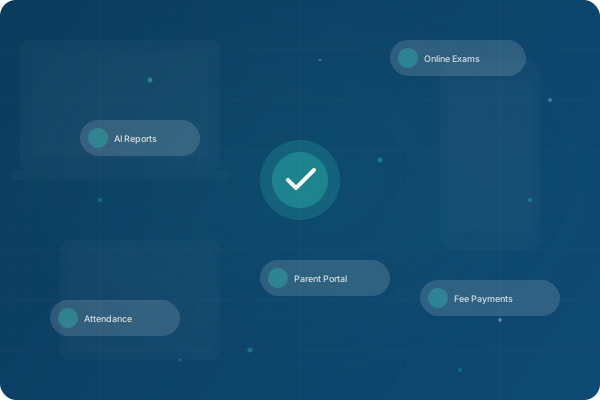
AI usage dashboard with credit balance and consumption charts

Dashboard overview

The top row shows three key metrics at a glance:

342

Credit balance

Remaining credits this cycle

158

Used this cycle

Credits consumed since last reset

Reports

Top operation

Most credit-intensive feature
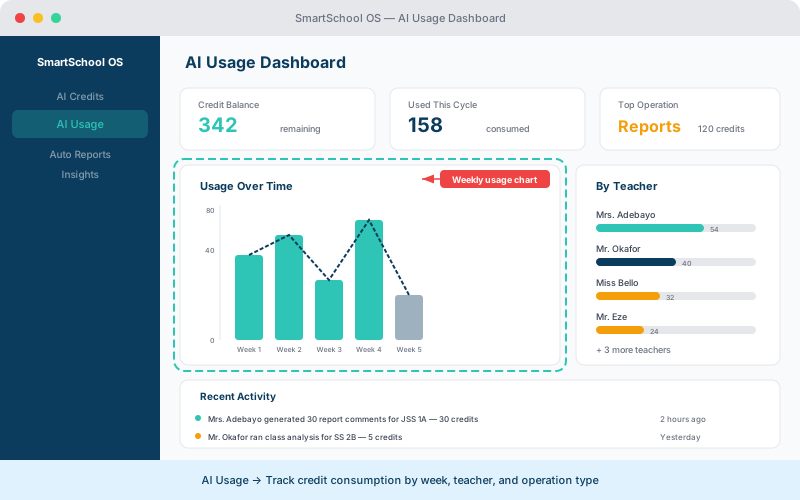
AI usage dashboard showing weekly consumption chart, per-teacher breakdown, and activity log
Monitor AI credit usage by week and by teacher — spot trends and plan ahead.

Usage history

The timeline shows every AI operation with full details:

  • What was generated — report comment, performance insight, or class analysis.
  • When it happened — timestamp with date and time.
  • Who triggered it — teacher or admin name.
  • Credits consumed — per-operation cost.

Credit forecasting

Based on your usage patterns, the dashboard projects when you'll exhaust your monthly credits and recommends whether a top-up or plan upgrade is appropriate.

💡 Tip

Enable low-balance alerts in Settings → AI to get notified when your credits drop below a threshold you set.

Team usage breakdown

Admin users can see credit consumption broken down by teacher. This helps identify which teams are leveraging AI features most effectively and where training may be needed.

⚠️ Note

Team usage data is only visible to admin users. Teachers can see their own consumption but not other staff members' usage.


← Performance insightsNext: Roles & permissions →